Remote for Apple TV1.4.3
Publisher Description

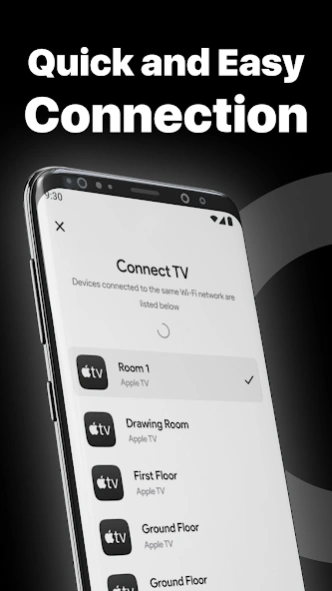


Control your smart TV easily using your android smart device with WiFi.
Remote for smart TV is the ultimate remote control application for your TV. It's the perfect solution for controlling your TV from the comfort of your couch.
Download it now and enjoy the convenience of a wireless remote control.
Key Features:
Works with Android phones and tablets
Touchpad for content navigation
Adjust the volume
Play, pause & control your favorite shows and movies
No additional hardware is needed.
Automatic connection to a device
Playback control
Quick access to all apps
And much more
No setup required:
Simply connect and control your TV with the remote control.
Adjust Volume:
Remote for smart TV is a comprehensive and superior alternative to your physical remote. It can perform all the functions of your physical remote, including adjusting the TV's volume.
Supported Devices:
Our app supports the following Apple TV models:
- TV (1st,2nd & 3rd Generation)
- TV HD (4th Generation)
- TV 4K (1st,2nd,3rd & 5th Generation)
- TV (4th generation), using tvOS 9.2.1 or later;
- TV (3rd generation), using Apple TV Software 7.2.1.
How to connect the Smart TV Remote to your TV:
1. Your TV must be connected to your home's wifi network.
2. Your Android phone's WiFi must be turned on and connected to the same network as the TV.
3. Launch this application and tap to select the target device to connect. Once connected, you can control your devices as you wish.
Troubleshoot:
- This app can only connect if you are on the same wifi network as your TV device.
- For not connecting to the TV, reinstalling this app and rebooting the TV can fix most of the bugs.
Disclaimer:
We are not associated with Apple and this app is not an official product of Apple.
About Remote for Apple TV
The company that develops Remote for Apple TV is New World Apps. The latest version released by its developer is 1.4.3.
To install Remote for Apple TV on your Android device, just click the green Continue To App button above to start the installation process. The app is listed on our website since 2024-08-02 and was downloaded 1 times. We have already checked if the download link is safe, however for your own protection we recommend that you scan the downloaded app with your antivirus. Your antivirus may detect the Remote for Apple TV as malware as malware if the download link to com.afl.appletvremote is broken.
How to install Remote for Apple TV on your Android device:
- Click on the Continue To App button on our website. This will redirect you to Google Play.
- Once the Remote for Apple TV is shown in the Google Play listing of your Android device, you can start its download and installation. Tap on the Install button located below the search bar and to the right of the app icon.
- A pop-up window with the permissions required by Remote for Apple TV will be shown. Click on Accept to continue the process.
- Remote for Apple TV will be downloaded onto your device, displaying a progress. Once the download completes, the installation will start and you'll get a notification after the installation is finished.
